Meshcore is a decentralized mesh network that allows nodes to exchange messages over LoRa radios. Instead of relying on centralized infrastructure, devices forward messages for each other, forming a resilient peer-to-peer network.
During the Christmas holidays I came across several posts about #Meshcore on Mastodon. The idea of a self-organizing communication network immediately caught my interest. Not long after that, I caught what I jokingly call the Meshcore flu and started ordering hardware to experiment with it myself.
My first purchases were a Seeed SenseCAP Solar Node P1-Pro and a SenseCAP Card Tracker T1000-E. Over the following weeks I added a few more pieces of hardware to the collection, including a larger antenna to improve reception.
Once the basic nodes were running, I started looking at the next interesting piece of the ecosystem: repeaters.
Building a Python Meshcore Repeater
One project that stood out was pyMC_repeater, a Meshcore repeater written in Python. Running a repeater helps extend the network by forwarding messages between nodes that might otherwise be out of range.
My idea was simple: build a solar-powered Meshcore repeater using a Raspberry Pi Zero 2W.
The plan looked like this:
- Raspberry Pi Zero 2W
- LoRa radio module (SX1262)
- pyMC_repeater software
- Solar power
However, the project immediately ran into a small complication.
Ordering the Wrong LoRa Board
Originally I planned to use a Waveshare SX1262 LoRa HAT, which is designed to fit directly on a Raspberry Pi.
Unfortunately, I accidentally ordered the Waveshare Pico-LoRa-SX1262 instead. This board is designed for the Raspberry Pi Pico, not the Raspberry Pi.
The good news was that the module still communicates over SPI, which meant it should technically work with the Raspberry Pi. The downside was that it required some manual wiring.
So instead of stacking a HAT on top of the Pi, I needed to connect everything using jumper wires.
Wiring the SX1262 to the Raspberry Pi
After mapping the pins between the LoRa board and the Raspberry Pi Zero, I ended up with the following wiring configuration:
| LoRa pin | Pi Name | Color | Raspberry PI pin |
|---|---|---|---|
| 36 | 3v3 | Orange | 1 |
| 38 | GRD | Black | 6 |
| 20 | LoRa_RESET | Blue | 12 |
| 14 | LoRa_CLK | Grey | 23 |
| 15 | LoRa_MOSI | purple | 19 |
| 16 | LoRa_MISO | Green | 21 |
| 26 | DIO1 | Yellow | 36 |
| 4 | LoRa_BUSY | Braun | 38 |
| 5 | LoRa_CS | White | 40 |
| 31 | BAT_AD | - | Not connected |
One interesting detail was the power requirements of the board.
The pinout documentation suggests powering the board with 5V, but when I tried that the radio did not function correctly. Looking at the schematic revealed why: the battery management circuitry uses 5V, but the rest of the board operates at 3.3V.
Powering the board directly from the 3.3V rail of the Raspberry Pi worked without issues.
Setting Up the Software
For the operating system I used Ubuntu on the Raspberry Pi Zero 2W.
Before installing pyMC_repeater, a few dependencies had to be installed manually:
apt-get install gcc-aarch64-linux-gnu python3-dev
Debugging the SPI Connection
Before diving into the full installation, I wanted to confirm that the SPI interface and GPIO lines were working correctly.
Using gpiomon and gpioset, I tested the BUSY and RESET pins on the SX1262 chip:
gpiomon gpiochip0 16 20
gpioset gpiochip0 18=0 ;sleep 0.5 ; gpioset gpiochip0 18=1
These tests confirmed that the Raspberry Pi could properly communicate with the radio module.
Installing pyMC_Repeater
With the hardware confirmed to be working, installing pyMC_Repeater was straightforward.
Following the instructions in the project repository: https://github.com/rightup/pyMC_Repeater
The installation process looked like this:
- Enable and configure SPI
- Clone the pyMC_Repeater repository
- Run manage.sh
- Select Waveshare SX1262 as the radio
- Choose the correct LoRa frequency
Because I was using the Pico LoRa board instead of the Waveshare HAT, I needed to adjust one configuration value after installation:
is_waveshare: false
With that change in place, the repeater started successfully.
Measuring Power Consumption
Since the long-term goal was to run the repeater on solar power, power consumption was an important factor.
After running the system for 38 hours, the Raspberry Pi Zero 2W consumed approximately:
8553 mAh at 5V
This translates to roughly 1 watt of continuous power usage.
Impressions After a Few Days
Observations After a Few Days
After letting the repeater run for several days, a few limitations became apparent.
-
Memory Constraints
The 512 MB of RAM on the Raspberry Pi Zero 2W turns out to be fairly tight.
pyMC_Repeater gradually consumes more memory over time, likely because it maintains a growing list of nodes in the network. After several hours, memory usage becomes quite high.
-
Power Consumption
While the Pi Zero is relatively efficient compared to larger Raspberry Pi models, 1 watt of continuous consumption is still significant for a solar-powered system.
In comparison, dedicated devices such as the Seeed SenseCAP Solar Node P1-Pro operate at a much lower power level.
-
LoRa Duty Cycle Limits
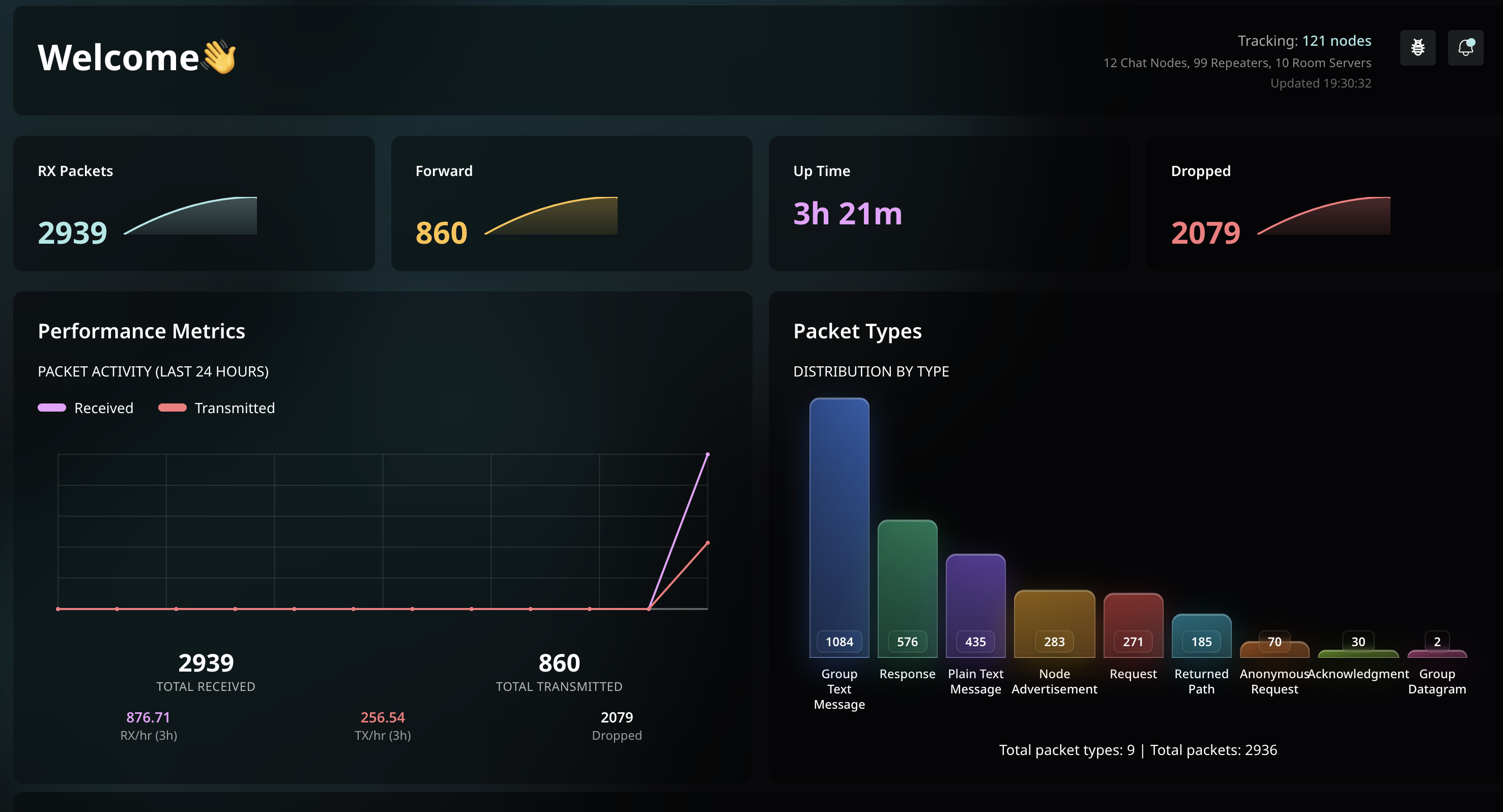
Because the repeater sees a considerable amount of traffic, it occasionally drops messages due to duty cycle limitations. This is an inherent constraint of LoRa regulations in many regions.
Conclusion
The experiment was successful from a technical perspective: a Python-based Meshcore repeater running on a Raspberry Pi Zero 2W works.
However, it is not an ideal platform for a solar-powered deployment.
Even the Pi Zero consumes around 1 watt continuously, and running pyMC_repeater on a larger Raspberry Pi can easily push that to 3 watts or more. For a solar node, that significantly increases the required battery capacity and panel size.
For future experiments, a lower-power platform would likely be a better fit for running a Meshcore repeater in a fully solar-powered setup.
Comments
You can respond to this post on Mastodon: 🔗 or click to copy the URL to your clipboard so you can paste it into your client.